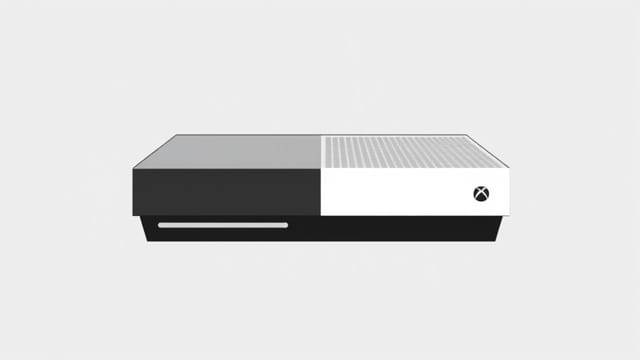
The Xbox Series S has become a popular choice among gamers looking for a next-gen experience at a more accessible price point. One of the most common questions that fans ask is how well the Xbox Series S handles major titles like Call of Duty. Whether you’re diving into Warzone, Modern Warfare II, or the newest entries in the franchise, the Series S offers a solid performance that surprises many considering its compact size. Its ability to deliver fast load times, smooth frame rates, and vibrant visuals make it a highly viable console for Call of Duty enthusiasts. In this topic, we’ll explore how Call of Duty plays on the Xbox Series S, what to expect, and how to optimize the experience.
Performance on Xbox Series S
Frame Rate and Resolution
The Xbox Series S may not offer native 4K like its bigger sibling, the Series X, but it still delivers high-quality performance. Most Call of Duty titles on Series S run at 1080p to 1440p resolution with a stable 60 FPS, and in some modes, even up to 120 FPS when enabled. This creates smooth gameplay, especially critical during fast-paced multiplayer matches where response time matters most.
Load Times and SSD Advantages
Thanks to the built-in NVMe SSD, load times are drastically reduced. Loading into a match, switching menus, or booting the game is significantly faster than on older consoles like the Xbox One. This speed translates into more time playing and less time waiting, which is essential for players who want to jump quickly between game modes.
Ray Tracing and Visual Features
Some Call of Duty games include ray tracing options, though limited on the Series S compared to the Series X. Nonetheless, lighting, shadows, and textures are still highly detailed. The balance between performance and visual quality is well-optimized, making the overall experience immersive even without full 4K fidelity.
Storage Considerations for Call of Duty
File Size Challenges
One of the main concerns for Xbox Series S owners is the limited storage space. With only 512GB total and about 364GB usable, games like Call of Duty which can take up over 100GB consume a large portion of the available space.
Tips to Manage Space
- Uninstall unused game modes such as campaign or co-op if you mainly play multiplayer or Warzone.
- Use an external hard drive for older Xbox One titles or less frequently played games.
- Consider investing in the Seagate expansion card to match the speed of the internal SSD.
Multiplayer and Online Features
Xbox Live Gold and Game Pass Ultimate
To access online multiplayer in Call of Duty games, Xbox Live Gold or Game Pass Ultimate is required. Game Pass Ultimate offers more value by bundling Gold, EA Play, and access to a wide library of games including Call of Duty titles during promotional periods or partnership rotations.
Crossplay Support
Call of Duty on Xbox Series S supports crossplay with players on PlayStation, PC, and other Xbox consoles. This ensures that matchmaking is quick and competitive, and allows friends across different platforms to squad up together.
Voice Chat and Social Features
Xbox’s built-in party system and voice chat functionality work seamlessly with Call of Duty lobbies. You can mute players, adjust individual volume, or communicate using the Xbox mobile app when away from your console.
Graphics Settings and Performance Modes
Performance Mode vs. Quality Mode
Some Call of Duty entries allow you to choose between different graphics settings:
- Performance Mode: Prioritizes frame rate, ideal for multiplayer and competitive modes.
- Quality Mode: Prioritizes visuals, better for campaign play and cinematic sequences.
On Series S, Performance Mode is often the best choice to ensure a consistent 60 FPS or higher, especially in high-stakes online matches.
HDR Support
If your TV supports HDR10, the Xbox Series S can display high dynamic range for richer contrast and color. This makes explosions, environments, and lighting effects stand out more, especially in darker scenes or night maps.
Call of Duty Titles That Shine on Xbox Series S
Call of Duty: Modern Warfare II (2022)
Modern Warfare II runs exceptionally well on the Xbox Series S. The game offers multiple settings to balance visual fidelity and performance, and both campaign and multiplayer modes perform reliably across the board.
Call of Duty: Warzone
Warzone is fully supported and optimized for Series S. With frequent updates and patches, Warzone maintains stable FPS and decent resolution. It’s one of the most-played battle royale games on the platform and offers a great experience on this budget-friendly console.
Call of Duty: Black Ops Cold War
Cold War offers a robust set of graphics and performance settings on the Series S. While some sacrifices in texture quality occur, the overall gameplay remains fluid and responsive, ideal for both campaign and multiplayer fans.
Game Updates and Patch Management
Automatic Updates
The Xbox Series S allows background downloads and automatic updates, so you don’t have to manually manage patches. Call of Duty titles receive frequent updates, which can be large, so enabling auto-update is recommended.
Managing Download Sizes
- Use the Manage Game & Add-ons menu to deselect unneeded content packs.
- Schedule downloads during off-hours if your connection has data caps or is slower during peak times.
Accessories and Enhancements
Controller Options
The standard Xbox Series controller works perfectly for Call of Duty, with responsive triggers and improved grip. For competitive players, options like the Xbox Elite Series 2 controller or third-party accessories like KontrolFreek thumbsticks can offer an edge.
Headsets and Audio
High-quality audio can greatly enhance your gameplay. Using headsets like the Xbox Wireless Headset or other Dolby Atmos-compatible gear can help you pinpoint enemy footsteps, gunfire direction, and environmental cues more clearly.
Overall Experience and Final Thoughts
The Xbox Series S proves that you don’t need to spend top dollar to enjoy top-tier gaming experiences like Call of Duty. With optimized performance, fast load times, and seamless online integration, it stands strong as a next-gen console choice for fans of the franchise. While storage can be a limiting factor, smart management and optional upgrades can solve most space-related concerns. Whether you’re diving into intense multiplayer, exploring cinematic campaigns, or surviving in Warzone, the Xbox Series S delivers where it counts. It offers a highly enjoyable Call of Duty experience at a fraction of the cost of other systems, making it a smart buy for budget-conscious and casual gamers alike.