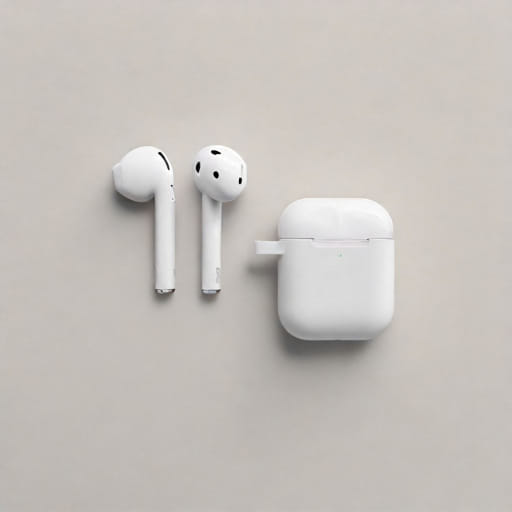
How to Use AirPods as Hearing Aids A Simple Guide to Enhance Your HearingAirPods are popular wireless earbuds made by Apple, mainly used for listening to music, watching videos, and taking phone calls. However, not many people realize that AirPods, especially the newer models, can also help improve hearing in certain situations. This feature is not a replacement for medical-grade hearing aids, but it can provide support for people with mild hearing difficulties or in noisy environments.
In this topic, we’ll explain how to use AirPods as hearing aids, how the technology works, and what to consider before relying on them for everyday use.
Understanding the AirPods Hearing Enhancement Feature
What Is Live Listen?
Apple has a feature called Live Listen that turns your iPhone into a microphone and streams the sound directly to your AirPods. This can help you hear conversations more clearly in loud rooms or when someone is speaking from a distance.
Live Listen was originally designed for use with Made for iPhone (MFi) hearing aids, but it also works with AirPods, AirPods Pro, and AirPods Max.
How It Works
When you activate Live Listen, your iPhone picks up sound through its microphone and transmits it to your AirPods in real-time. This lets you place your phone closer to the sound source while keeping the AirPods in your ears.
It’s especially helpful in places like restaurants, classrooms, or meetings where background noise makes it hard to focus on a single voice.
Step-by-Step How to Use AirPods as Hearing Aids
1. Check Compatibility
To use Live Listen, you need
-
An iPhone or iPad running iOS 12 or later
-
AirPods (1st generation or newer), AirPods Pro, or AirPods Max
2. Add Live Listen to Control Center
Before using the feature, follow these steps
-
Go to Settings on your iPhone
-
Tap Control Center
-
Scroll down and tap the green plus (+) icon next to Hearing
-
This adds the ear-shaped icon to your Control Center
3. Connect Your AirPods
Make sure your AirPods are paired and connected
-
Open the AirPods case near your iPhone
-
Tap Connect if the prompt appears
-
Or manually connect through Settings > Bluetooth
4. Enable Live Listen
Now you can activate the feature
-
Open Control Center by swiping down from the top right corner
-
Tap the Hearing icon (ear shape)
-
Tap Live Listen to turn it on
Place your iPhone near the sound source, and your AirPods will stream that audio directly into your ears.
Benefits of Using AirPods as Hearing Aids
Affordable Hearing Support
Traditional hearing aids can be expensive. For people who are not ready to invest in professional devices, AirPods offer a temporary and affordable solution to improve hearing in certain situations.
Discreet Design
Because AirPods look like everyday wireless earbuds, they don’t draw attention. Many users feel more comfortable using AirPods in public compared to traditional hearing aids.
Customizable Settings
With Headphone Accommodations (available in Accessibility settings), users can fine-tune the audio to better suit their hearing preferences. This includes adjusting tones and amplifying soft sounds.
Limitations to Consider
Not a Medical Device
AirPods are not designed to replace professional hearing aids. They lack the precision, sensitivity, and medical certification needed for people with moderate to severe hearing loss.
Battery Life
Using AirPods continuously for hearing support can quickly drain their battery. Most AirPods last around 4 to 6 hours on a single charge, depending on the model.
Environmental Challenges
In very noisy places, Live Listen may also pick up and amplify unwanted background sounds, making it harder to focus on a specific voice.
Best Use Cases for AirPods Hearing Features
While not a full replacement, AirPods can be especially useful in
-
Lectures or classroom settings
-
Business meetings
-
Family gatherings
-
Watching TV (place iPhone near the speaker)
-
Restaurants or public spaces with light background noise
For individuals with mild hearing loss or people looking to hear more clearly in occasional situations, AirPods provide a helpful boost.
Tips to Improve the Experience
Use Headphone Accommodations
-
Go to Settings > Accessibility > Audio/Visual > Headphone Accommodations
-
Adjust the audio settings to suit your hearing preferences
Use Transparency Mode (AirPods Pro)
If you have AirPods Pro, Transparency Mode allows outside sound to pass through the earbuds naturally. This mode can be more comfortable for longer periods of use, as it doesn’t block ambient noise completely.
Keep the Microphone Close
Since Live Listen uses your iPhone’s microphone, make sure the phone is close to the person or sound you want to hear. Placing it too far away may reduce clarity.
What Experts Say
While some audiologists acknowledge the usefulness of AirPods as assistive tools, they also stress that they are not a substitute for proper hearing care. If you notice signs of hearing loss like frequently asking people to repeat themselves or turning up the TV volume too high it’s best to get a hearing test.
However, for people with normal hearing who occasionally struggle in noisy environments, the Live Listen feature can be a helpful aid.
Future of Earbuds as Hearing Devices
Technology is moving fast. Some companies are already working on merging earbuds and hearing aids into a single product. Features like noise cancellation, voice enhancement, and sound direction control are becoming standard in premium earbuds.
In the future, it’s likely we’ll see more affordable, multi-function devices that serve both entertainment and hearing support purposes.
Using AirPods as hearing aids is a practical and easy way to enhance hearing in everyday situations. With the Live Listen feature and some simple settings adjustments, anyone can improve their ability to focus on conversations and hear more clearly.
While they’re not meant to replace professional devices, AirPods can offer valuable support for people with mild hearing challenges or those who just need occasional assistance. As technology continues to evolve, the line between earbuds and hearing aids will only grow thinner making hearing support more accessible for everyone.