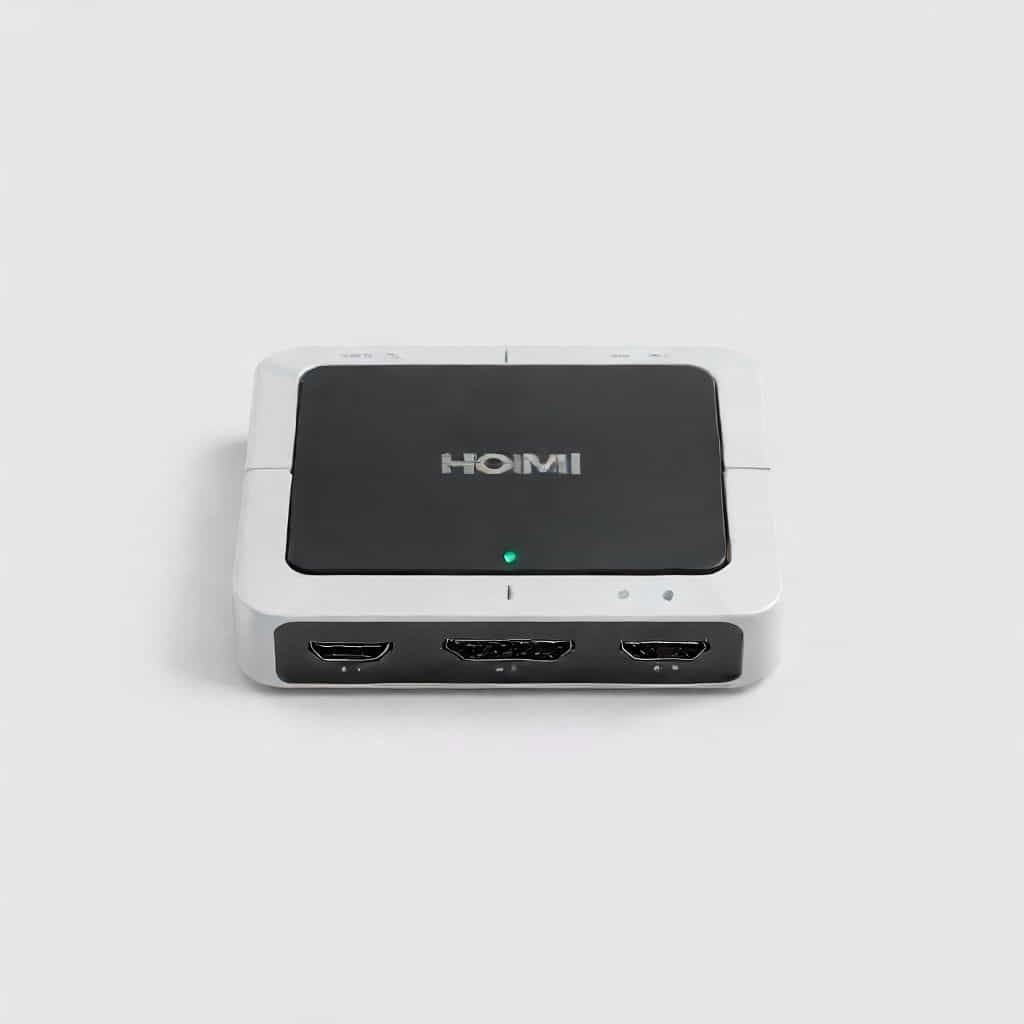
HDMI Switcher 2 In 1 Out The Ultimate GuideIn the modern world, multimedia devices are essential in our daily lives, whether it’s for work, entertainment, or education. With a variety of devices such as gaming consoles, streaming boxes, Blu-ray players, and laptops, connecting them to a TV or monitor can sometimes become a hassle due to the limited number of HDMI ports available. This is where an HDMI switcher 2 in 1 out comes in.
An HDMI switcher is a device that allows multiple HDMI sources to be connected to a single HDMI input on your TV or monitor, making it a great solution for reducing cable clutter and simplifying device management. In this topic, we’ll explore the features, benefits, and uses of an HDMI switcher 2 in 1 out.
What is an HDMI Switcher 2 In 1 Out?
An HDMI switcher 2 in 1 out is a device that allows you to connect two HDMI devices to a single HDMI input on your television or monitor. It has two input ports for connecting different devices and one output port that connects to your display. Essentially, it acts as a middleman, letting you switch between the two input sources without having to manually plug and unplug cables every time.
These switchers are ideal for individuals who have multiple HDMI devices but limited HDMI ports on their TV or monitor. Whether you need to switch between a gaming console and a streaming device, or a laptop and a set-top box, an HDMI switcher 2 in 1 out provides an easy way to do so.
Key Features of HDMI Switcher 2 In 1 Out
1. Multiple Device Compatibility
One of the standout features of an HDMI switcher 2 in 1 out is its compatibility with a wide range of devices. It can support HDMI devices such as
-
Gaming consoles (e.g., PlayStation, Xbox)
-
Streaming boxes (e.g., Roku, Apple TV)
-
Laptops and computers
-
Blu-ray players
-
Set-top boxes
-
Any other HDMI-enabled device
This versatility makes it an essential tool for those who need to switch between different types of media sources quickly and conveniently.
2. Ease of Switching
Most HDMI switchers come with a simple method for switching between the two connected devices. They typically have a button that you can press to toggle between the two HDMI inputs. Some models even come with remote controls, allowing for easier switching from the comfort of your couch. This feature saves time and effort, ensuring that you don’t have to constantly get up and manually change cables.
3. High-Quality Video and Audio Transmission
A good quality HDMI switcher will maintain the high-definition video and audio signal from the source device to your display. These devices support resolutions up to 4K, ensuring that you don’t lose any image quality when switching between devices. Additionally, they transmit digital audio, supporting formats like Dolby TrueHD and DTS-HD Master Audio, ensuring your sound experience is just as clear and sharp as the picture.
4. Compact and Space-Saving Design
HDMI switchers are usually compact in size, making them easy to place behind your TV or near your entertainment setup without taking up too much space. Their small form factor helps reduce cable clutter and contributes to a cleaner, more organized setup.
Benefits of Using an HDMI Switcher 2 In 1 Out
1. Simplified Entertainment Setup
An HDMI switcher 2 in 1 out can greatly simplify your home entertainment setup by allowing you to manage multiple devices without the need for multiple HDMI ports on your TV. Instead of switching cables every time you want to change devices, you can switch between devices with the press of a button or with a remote control.
2. Cost-Effective Solution
Rather than upgrading to a new TV with more HDMI ports, an HDMI switcher 2 in 1 out provides an affordable solution. These devices are often much cheaper than buying a new TV, and they help you make the most of the HDMI ports you already have.
3. Enhanced User Experience
Having the ability to easily switch between devices allows for a smoother, more enjoyable experience. For instance, you can seamlessly switch between a gaming console and a streaming device without any interruptions. This makes the experience much more user-friendly, particularly for households with multiple users and different preferences.
How to Set Up an HDMI Switcher 2 In 1 Out
Setting up an HDMI switcher is a relatively simple process. Here’s a step-by-step guide
1. Connect the HDMI Inputs
First, plug the HDMI cables from your two source devices (e.g., gaming console, laptop) into the input ports of the HDMI switcher. Ensure that both devices are powered on and ready to be used.
2. Connect the HDMI Output
Next, take another HDMI cable and connect the output port of the switcher to the HDMI input on your TV or monitor. This will transmit the video and audio signal from the selected source device to your screen.
3. Power On the Switcher
Some HDMI switchers require external power, so plug the provided power adapter into the switcher and an available power outlet. If the switcher is powered by USB, you can plug it into a USB port on your TV or another nearby device.
4. Select the Source Device
Once everything is connected, you can switch between your two devices either by pressing the button on the switcher or using the remote control if provided. Your TV or monitor should automatically detect the active source and display it on screen.
Considerations When Choosing an HDMI Switcher 2 In 1 Out
When selecting an HDMI switcher, there are a few things to consider to ensure it meets your needs
1. Resolution Support
Make sure that the HDMI switcher you choose supports the resolution of your devices. For most users, an HDMI switcher that supports 1080p resolution is sufficient. However, if you have 4K devices, ensure the switcher supports 4K to maintain high-quality video.
2. HDCP Compliance
High-bandwidth Digital Content Protection (HDCP) is a technology that prevents the copying of digital content. If you plan to use the HDMI switcher with devices that stream copyrighted content (e.g., Netflix, Hulu), make sure the switcher is HDCP compliant to avoid issues with playback.
3. Remote Control
If you prefer the convenience of remote control, look for a switcher that includes one. This allows you to change inputs without having to get up or touch the switcher physically.
An HDMI switcher 2 in 1 out is a valuable addition to any home entertainment setup, offering a simple, affordable solution for managing multiple HDMI devices. With its ease of use, compatibility with various devices, and ability to maintain high-quality video and audio, it helps streamline your entertainment experience while reducing the clutter of cables. Whether you’re a gamer, a movie lover, or someone who just enjoys having a variety of devices at your fingertips, an HDMI switcher can enhance your multimedia setup and make it more efficient.